
01 · Why I fired my Linktree
My link in bio.
Sending people away from me.
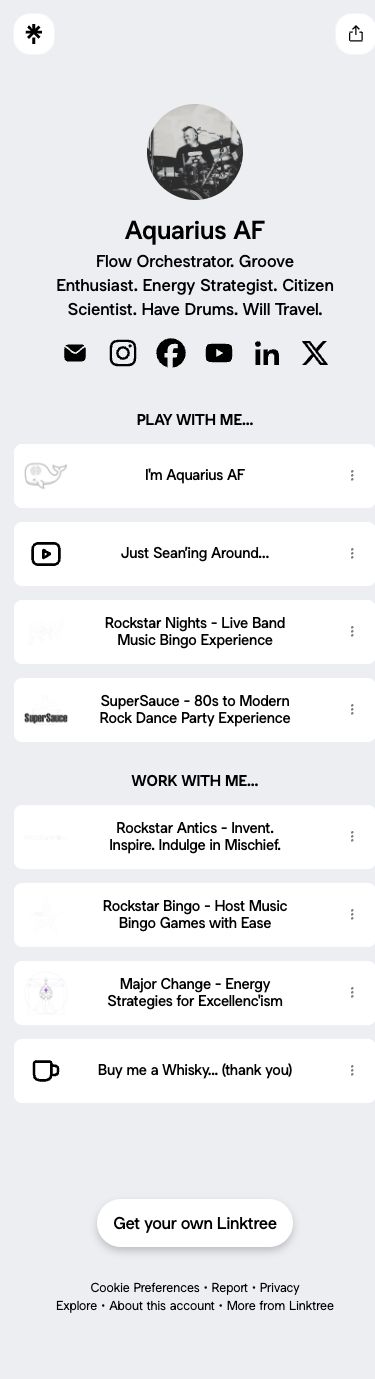
My Linktree had been running on autopilot since 2020. When I finally looked closely, Freakquencies—the main thing I’m building—wasn’t on it at all. Old links were hiding underneath, including a duplicate.
At the bottom, Linktree was showing visitors other people’s pages. My link in bio was sending people away from me. Time for a little housekeeping.
02 · The conversation
What if it lived
right here?
So I asked my AI to take a look. It read my Linktree and my Instagram, told me what was missing and what was stale, and suggested a new order: what I’m making now, then what to read and hear, then work, then play.
Then I asked: could this live on my own site instead?
It pulled aquariusaf.com’s colours, fonts and footer icons and mocked up a /links page that looks like it belongs here. It even drew a new icon for the footer, a little gold “link stack,” so I can always find the page again.
03 · The handoff
A conversation.
Then a working page.
The mockup went to Max, the assistant who builds this site, along with one prompt. Max built it on a preview, I checked it on my phone, and we bundled the page and this story into one release.
- TalkStart with an idea.
- MockupSee how it could look.
- Max buildsTry it on your phone.
- Live link in bioYour page. Your people.
04 · Look what I can do!
One link.
All my useful mischief.
New post at the top. Freakquencies right under it. Everything else grouped so people can find it. No ads, no strangers, no “Get your own Linktree” banner. Just me.
Yes, I did the Stuart jump. If you don’t know the reference, watch the clip →
BEFORE · LINKTREE
AFTER · MY OWN SITE

05 · The payoff
Win, win, win.
- One less service I don’t need. No account to babysit, no plan to outgrow.
- An output I fully control. My site, my design, my order, my analytics.
- Less spam. No more vendor emails trying to upsell me on “Pro.”
If you already have a website, your link in bio should send people to it.
06 · The recipe: make your own
Make your own.
Bring your links.
Gather your links.
Open your current Linktree or bio and list everything.
Pick your one thing.
What should people tap first? That goes on top.
Ask your AI for a mockup in your site’s style.
Talk it through. Cut what’s stale.
Hand it to whoever builds your site.
Preview it on your phone, then publish once.
Add an icon to your site’s footer.
So you can find the page later.
Paste the link into your Instagram bio.
Then everywhere else.
Small print: Linktree is free and instant to edit. Your own page costs a little effort per change, so batch your updates.
07 · Verdict
My link in bio
now points at me.
Look what I can do. 😁
Got a unique idea like this? Hit me up. I’ll help you get ’er done.
Want a site you can update by talking? Let’s talk websites →